Why you should reply to every Google review
Guests don't just read reviews, they read your replies too. A calm reply to a 2-star review shows every later reader that you take criticism seriously – often that does more for you than ten 5-star reviews. An active Business Profile is also a signal Google takes into account in local search.
- Trust: New guests see that there are people behind the business who listen.
- Damage control: A good reply takes the sting out of a negative review, even if the review stays.
- Return visits: Guests who get a personal reply are more likely to come back – and often rate you better next time.
- Visibility: A well-kept profile with recent replies helps with searches like “restaurant near me”.
How the response generator works
- Copy the review text from Google Maps or your Business Profile.
- Choose the star rating and the tone – professional, warm or formal.
- Optional: add the name of your business and of the guest to make the reply more personal.
- You get three different versions plus tips for this particular review.
- Adjust, copy, paste into Google. If you like, download everything as a PDF.
The 5 rules for good review replies
1. Reply quickly
Within 24–48 hours is ideal. A reply after three weeks looks as if you only stumbled across the review by chance.
2. Be specific, not generic
Anyone can write “Thank you for your feedback”. Pick up a detail: the dish, the occasion, the server the guest praised. That shows the guest – and every other reader – that the reply was not pulled out of a drawer.
3. Never argue, never justify
Even if the criticism is unfair: you are writing the reply for the next hundred readers, not for that one guest. Stay factual, show understanding, offer a solution.
4. Take the conversation offline
With complaints, offer an email address or phone number instead of settling details in public. That signals you want to solve the problem without continuing the discussion on Google.
5. No names, no internal matters
Don't name staff when it comes to criticism, and don't reveal internal processes. That protects your team – and personal data has no place in public replies anyway.
Examples: replies to positive and negative reviews
Hi Julia, we're so glad you enjoyed the truffle pasta! We'll happily pass your compliments on to the kitchen. See you next time – we look forward to it! Your team at [name]
Dear Mr Weber, thank you for telling us about your experience. Waiting 50 minutes for a main course is too long, and we apologise for that. We were short-staffed that evening – that is not an excuse, but something we are working on. We would love to show you a better side of us. Please get in touch with us directly at [email]. Kind regards, [name]
You will find more templates and wording in our guide on how to respond to Google reviews and in our guide to handling negative restaurant reviews.
And if the review is unfair or fake?
Not every review has to stay. Fake reviews, insults or reviews without a real visit violate Google's policies and can be reported. Our free report check for Google reviews tells you whether that applies to your review. You should still reply – briefly and factually.
Frequently asked questions
Is the response generator really free?
Yes. You don't need to sign up or give an email address to see the replies. We only ask for your email address if you want to download the result as a PDF.
Can I paste the reply straight into Google?
Yes. Copy one version, replace any placeholders in [square brackets] and paste it as a reply under “Reviews” in your Google Business Profile.
Does it work with reviews in other languages?
Yes. The replies are written in the language of the review automatically – handy for tourists and international guests.
Should I really reply to 5-star reviews too?
Yes. A short, personal thank-you shows appreciation and makes your profile feel alive. Two or three sentences with a detail from the review are enough.
What happens to the review text I enter?
The text is only used to create the replies and is stored for the PDF download. We don't publish anything and don't pass anything on to third parties. Details are in our privacy policy.
How can I reply to all reviews automatically?
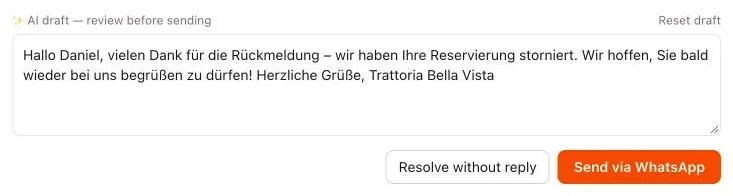
With Hospello. New Google reviews land in your inbox automatically – together with messages from Instagram, Facebook, WhatsApp and email. Each review comes with a reply draft that you only need to approve.